

Dentistry
Cloud PACS for dental practices.
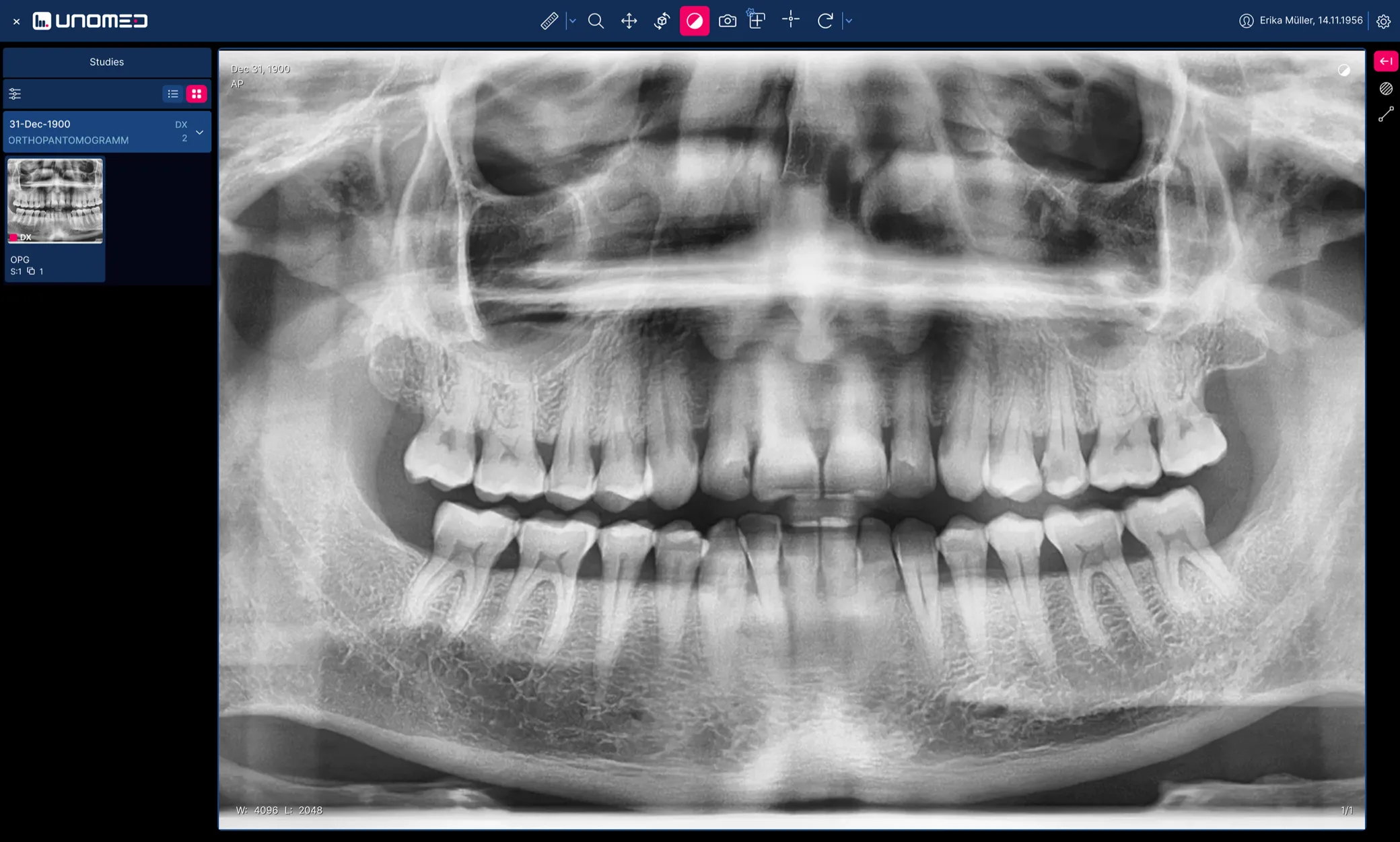
CBCT (DVT) and X-ray with orthogonal MPR, straight in the browser. One licence for the whole practice, in every treatment room and at every site.
- 1 licence for the whole practice
- CBCT and X-ray with MPR
- Swiss cloud hosting
Partners









The problem
The usual trouble with CBCT and X-ray
It is not the exposure that costs time, it is everything after it. Anyone who wants to view, report on or pass on the images runs into the same four obstacles in most practices.
-
One licence per treatment room
The viewer is licensed per workstation, and free DICOM access is not part of the deal.
-
Viewing CBCT data instead of slicing it
Bundled viewers show the volume but offer no true orthogonal MPR across all three planes.
-
Sharing on physical media
Sharing happens by CD, USB stick or file transfer, and the recipient has no software to open the data with.
-
Several sites, paid for several times
Treat at two addresses and you pay twice, and still hunt for the same image in two places.

The solution
How your dental practice works with Unomed
All CBCT and X-ray data sits centrally in one place, including MPR, secure sharing and access across every site.
Collaboration
Images from the radiology institute, no detour
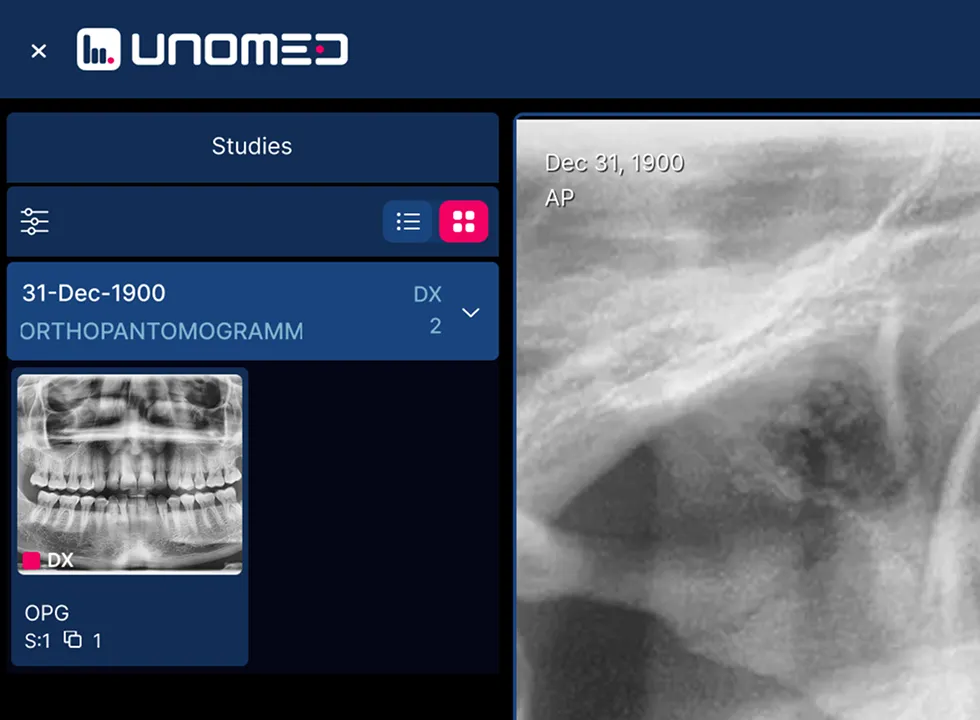
- External studies arrive directly in Unomed, with no portal and no physical media.
- Unomed suggests the matching patient, you confirm with one click.
- Prior images and history sit next to the new exposure, not in a second archive.
Reporting
Images right inside the patient record
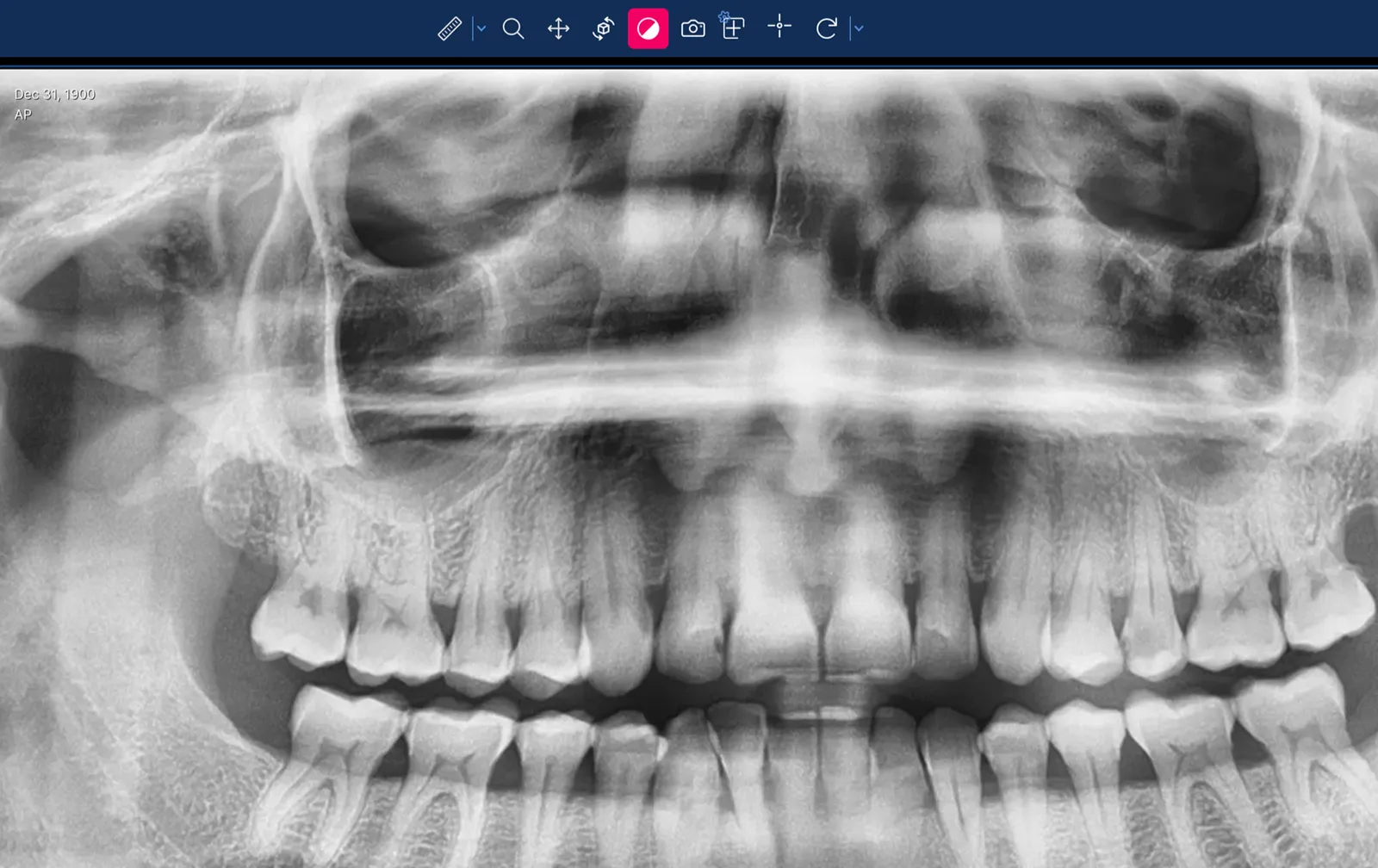
- CBCT and X-ray open in the browser, in every treatment room, with nothing to install.
- Orthogonal MPR in the axial, sagittal and coronal plane.
- No switching to a second program and no searching for the same patient twice.
Sharing
Sharing instead of physical media
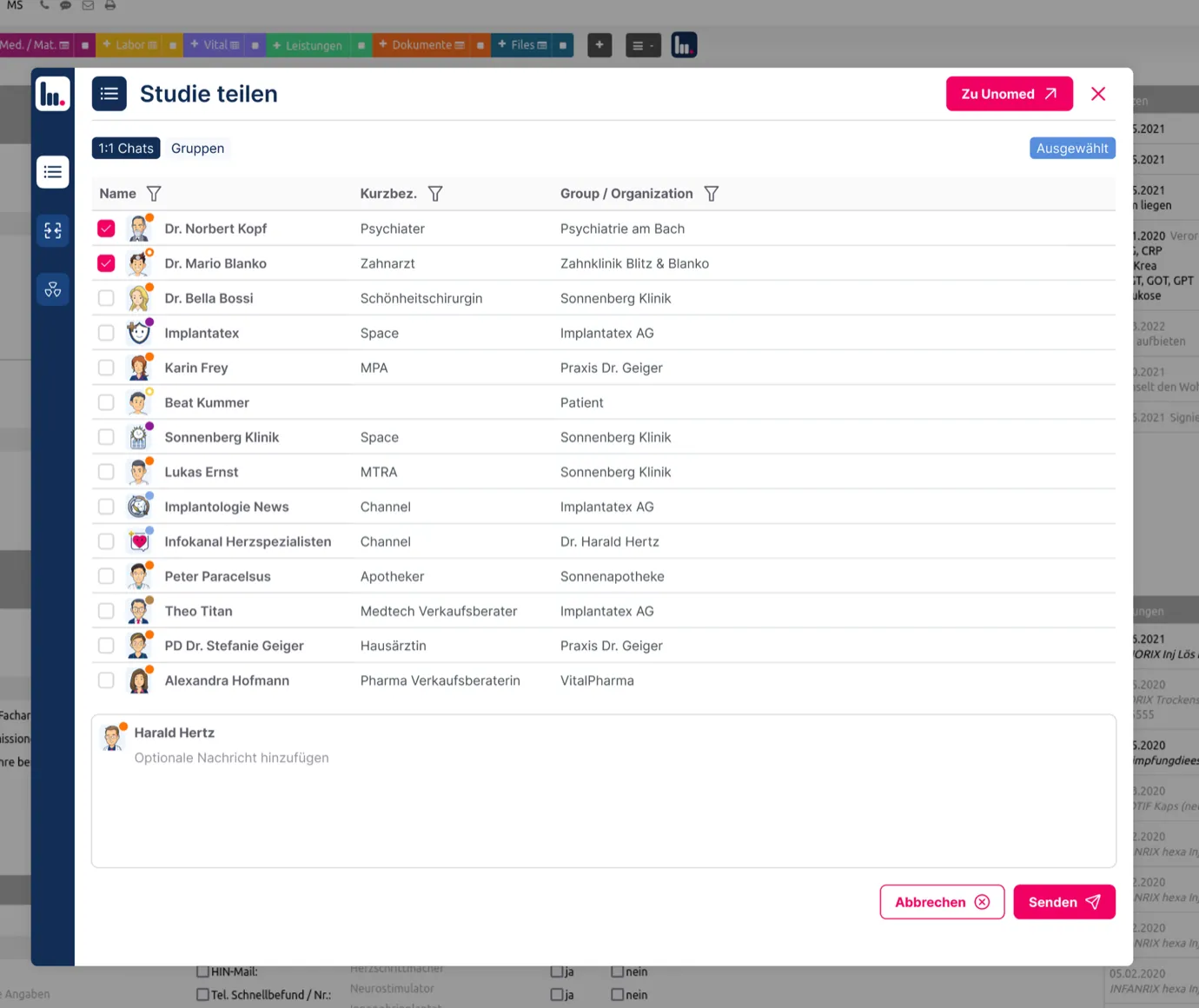
- A secure viewer link for referrers, laboratories and colleagues.
- The recipient installs nothing, a browser is enough.
- Ideal for second opinions, implant planning and complex CBCT cases.
Licensing
One licence for the whole practice
Regardless of how many treatment rooms, workstations and sites you have. What you pay depends on the practice, not on the screens inside it.
Unomed
- Whole practice just 1 licence
- All treatment rooms included
- All sites included
- All staff included
Classic licensing model
- Whole practice many licences
- Every treatment room
- Every site
- Every additional person
Each coin stands for one licence that has to be paid for on top.
The card on the right describes the widespread per-workstation billing model, not any particular vendor. What applies to your current solution is in your contract.
Fit
Ideal for dental practices that
The more of these apply, the more obvious the difference is day to day.
- have several treatment rooms
- use CBCT or are about to buy one
- want to use images across several sites
- want to get out of vendor dependency
- want to start without an IT project
None of this applies? We are still happy to look at how you work.
Book a 15-minute call
Voices from practice
What our users value most.
-
The secure exchange of X-ray images alone will make the work easier

Hirslanden Klinik Birshof
-
As the first practice software with a Unomed integration, we are making a clear commitment to modern, connected communication

Managing Director, Swiss Medical Record
-
With Unomed I finally have a direct, secure line to the physicians who refer to me

CEO medfit
-
Unomed's AI features make documentation easier, faster and more secure

Dipl. med. Evmorfia Pechlivanidou
Resident physician
-
Unomed is the ideal way to organise my sports teams

Berit Sportclinic
-
The cloud PACS runs stably and reliably, and we are very happy with it overall

Rüti ZH
Security
Secure, DICOM-compliant, under your control.
Your image data stays your image data at all times. Including the day you leave Unomed.
-
Swiss cloud hosting
Stored and processed in certified Swiss data centres, under the Swiss Data Protection Act.
-
Encrypted, in transit and in the archive
Transmission and storage are encrypted, and the viewer runs in the browser with no local installation.
-
DICOM-compliant, exportable at any time
Your archive sits in the standard format. You take it out as DICOM whenever you want.
-
No vendor lock-in
No proprietary containers, no exit project. The flexibility stays with you.
Price
Working at pro level
With Unomed you get the most out of your imaging, with no activation fee and no minimum term.
Cloud PACS
from CHF 99 per month
- Images and studies in the Swiss cloud
- Storage grows with you, no new contract
- Built-in DICOM viewer with MPR
- DICOM viewer of your choice*
- Send images by chat and link
- Cloud connector for the practice network included
- Integration with your practice software
* The OHIF viewer is the default. We connect other viewers on request.
Integration
It adapts to your practice, not the other way round
Unomed covers the internal and the external radiology workflow, and replaces nothing that already works today.
Connected today
- practice systems
- 16 practice systems
- of them official partners
- 6 of them official partners
- Usable on its own in the browser, with no installation and no change to your software.
- Optionally connected to your practice management system, with a jump from the patient record into the study.
- DICOM and HL7 interfaces are in place, and your own devices join via the cloud connector.
- We migrate existing CBCT and X-ray data step by step on request.
You lose nothing without the integration: the images then sit in the browser instead of in the patient record, everything else stays the same.
Common questions from dental practices
Do we need IT support to get started?
No. A browser is all it takes to use it. Only if you want your own devices connected do we install our cloud connector in the practice network once, and we do that together with you or with your IT partner.
Can we migrate existing CBCT and X-ray data?
Yes. Existing DICOM data and whole archives can be migrated. We do it step by step on request, so the practice does not come to a standstill.
Can we export our image data at any time?
Yes. All image data sits in the DICOM standard format and can be exported in full at any time. Moving to another provider is possible without data loss.
Does Unomed work with several treatment rooms or sites?
Yes, and at no extra charge. The licence covers the whole practice. Every treatment room, workstation and site works on the same archive.
Do we have to integrate it with our practice software?
No. Unomed can be used on its own in the browser. Connecting it to your practice management system is optional and brings one advantage above all: the jump from the patient record straight into the study.
Is Unomed right for your dental practice?
No IT knowledge needed, no hidden licence costs.
Free in the basic version and with no activation fee.
Getting started
Up and running in four steps
This is how dental practices start with Unomed Cloud PACS.
-
Clarify requirements
- Which image sources are there: CBCT, panoramic, intraoral?
- How are images shared today?
- Which practice software is in use?
-
Get access
- You create an account, we help with it.
- Users and permissions are set up.
- Optional: connect image sources through the cloud connector.
-
Migrate images
- We migrate existing data step by step on request.
- New exposures appear in Unomed from that moment on.
- Everything stays DICOM-compliant and exportable at any time.
-
Get going
- Open images in the browser, in every treatment room.
- View CBCT including orthogonal MPR.
- Share by link, with referrers, laboratories and colleagues.
More common questions about PACS for dental practices
What is a cloud PACS for dental practices?
A cloud PACS is a web-based system for archiving, displaying and managing X-ray and CBCT data. The image data is stored securely in the cloud and is available from anywhere.
What is the difference between DVT and CBCT?
None. DVT (digitale Volumentomographie) and CBCT (cone beam computed tomography) are the same three-dimensional X-ray technique, once in German and once in English.
Can CBCT and X-ray images be viewed straight in the browser?
Yes. With Unomed, CBCT and X-ray images are displayed straight in the browser. No local installation and no additional software is required.
Does Unomed support MPR for CBCT data?
Yes. Unomed supports orthogonal MPR, meaning the axial, the sagittal and the coronal plane.
Where is the image data stored with a cloud PACS?
In certified Swiss data centres. Hosting takes place exclusively in Switzerland.
Is a cloud PACS in Switzerland compliant with the Swiss Data Protection Act and the GDPR?
Unomed complies with the Swiss Data Protection Act and meets the relevant data protection requirements for processing health data in Switzerland.
Do you need a separate licence for every treatment room?
No. Unomed is billed as a practice licence. Every treatment room, workstation and site is covered without additional licence costs.
How does Unomed differ from proprietary dental viewers?
Unomed is vendor-independent, DICOM-compliant and web-based. There is no lock-in and no per-workstation licence.
Can Unomed be integrated with existing practice software?
Yes, optionally, for example via DICOM or HL7 interfaces. The integration is not required: Unomed can also be used on its own in the browser.
How does sharing images with referrers, laboratories or colleagues work?
Through a secure viewer link. Recipients need neither an account nor software of their own, a browser is enough.
Can image data be exported or migrated to another provider at any time?
Yes. All image data can be exported in full as DICOM at any time. Changing provider is possible without data loss.
Does a cloud PACS make sense for smaller dental practices too?
Especially there. Small practices benefit from the practice licence, from how simple it is to use, and from not needing IT infrastructure of their own.
What are the advantages of a cloud PACS over a local solution?
It reduces IT effort, maintenance and capital expenditure. Updates, backups and storage scaling happen on their own, with no server in the practice.
Which dental use cases is CBCT particularly suited to?
Above all implantology, oral surgery, endodontics, orthodontics and complex surgical questions.
Can we try Unomed first?
Yes. The basic version is free and has no activation fee, so you can try it without any commitment.

Next step
Is Unomed right for your dental practice?
Find out in a short conversation, with no obligation and no preparation. No IT knowledge needed, no hidden licence costs.